

Direct response
The First Call Back Wins the Job.
A lead who filled out one form on your site usually filled out several. Optiphone calls them back within seconds of the form landing, using their name and what they asked about, so you are the business that got there first.
Calls Back in Seconds, Not Hours
A form lands on your website and the agent has it immediately. No queue, no waiting for someone to open an inbox. The callback goes out while the lead is still on your page.
Opens With the Enquiry, Not a Script
The agent greets the lead by name and references what they actually asked about, the way a person following up their own enquiry would, not a cold-call template.
Captures What the Team Needs Before the First Callback
Whatever detail your team would otherwise chase over email or a second missed call gets confirmed on that first conversation, while the lead is still engaged.
Straight Into ServiceM8. No Copy, No Paste.
A captured enquiry is matched against your ServiceM8 contacts, or added as a new one, so it lands where your team already runs the business.
You Decide Whether It Books or Just Captures
Leave booking off and it hands your team everything they need to confirm a time themselves. Switch it on and it books directly into ServiceM8, Google Calendar or Outlook.
Not Just for Trades
Any business with a form that generates real enquiries is a fit: trades, event organisers, accountants, and services businesses with a repeating conversation worth systemising.
Full visibility
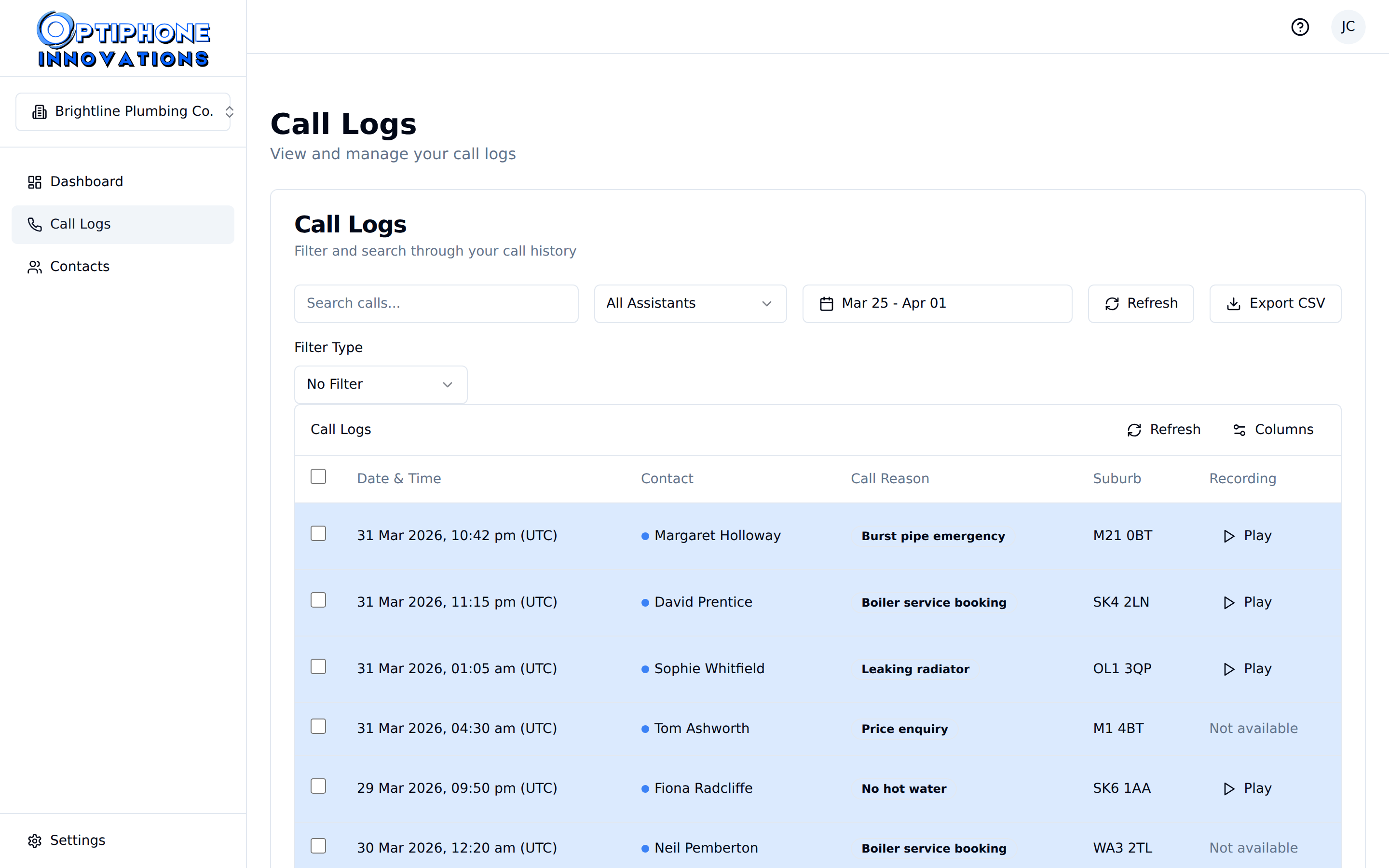
Every Callback, Logged and Searchable
See exactly when the callback went out and what happened on it, without chasing anyone for an update.
Full visibility
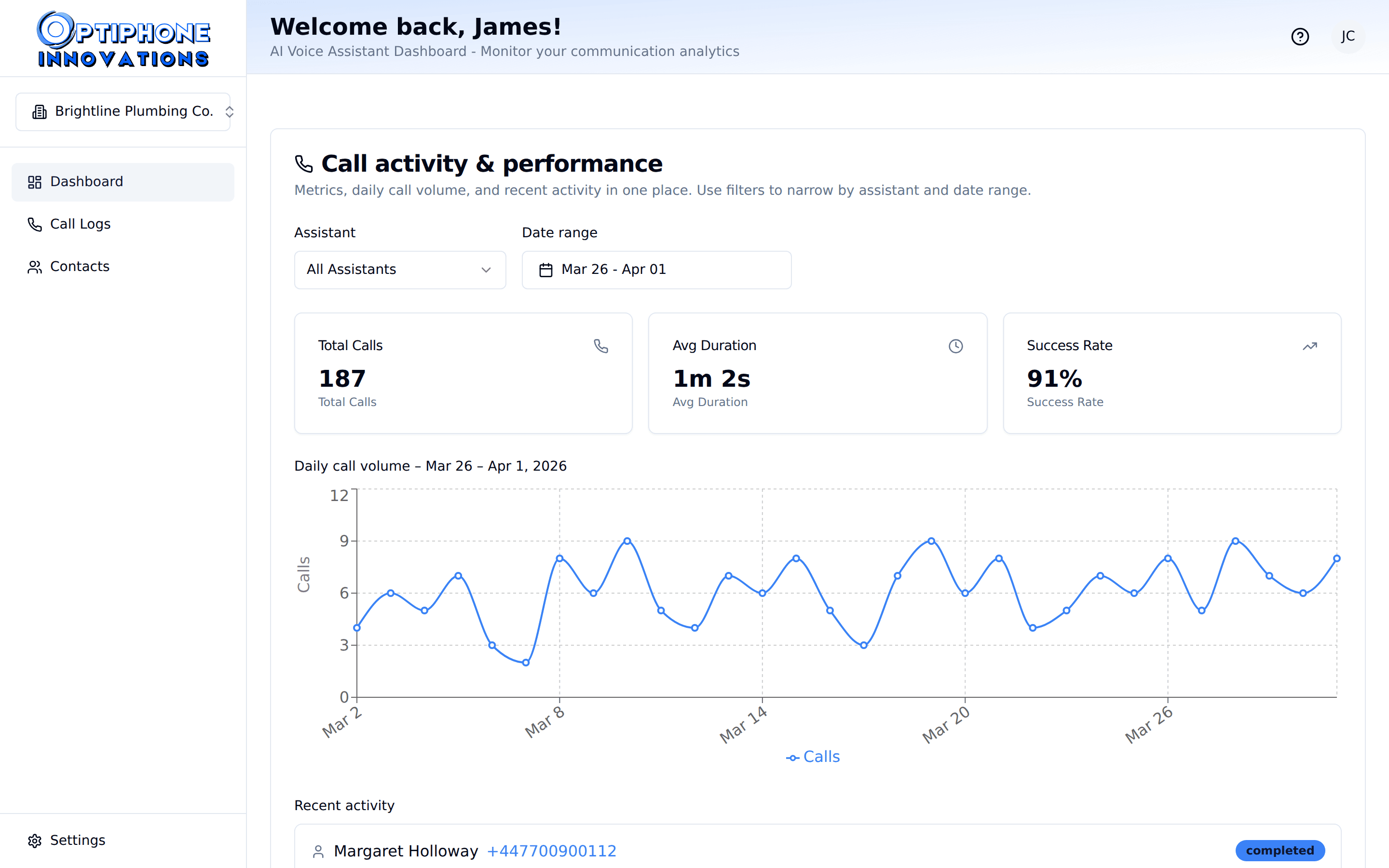
Your Response Times at a Glance
At-a-glance call volume metrics, so you can see how quickly enquiries are being answered without pulling a report.
You stay in control
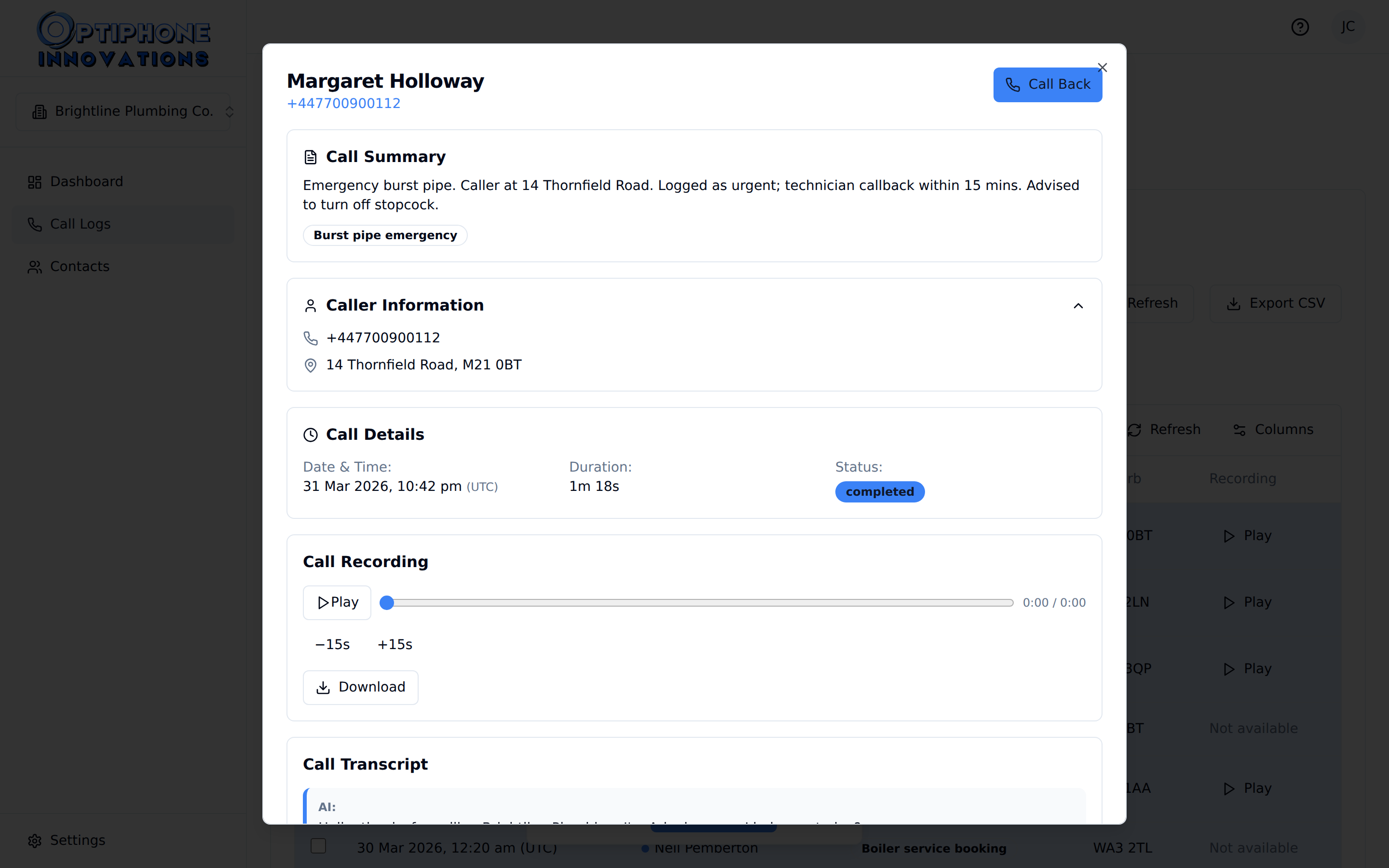
See Exactly What Was Said and Confirmed
Every call comes with a full transcript, so your team can pick up an enquiry knowing precisely what the lead was told, whether the agent booked it or simply captured the details.
Transcripts and recordings
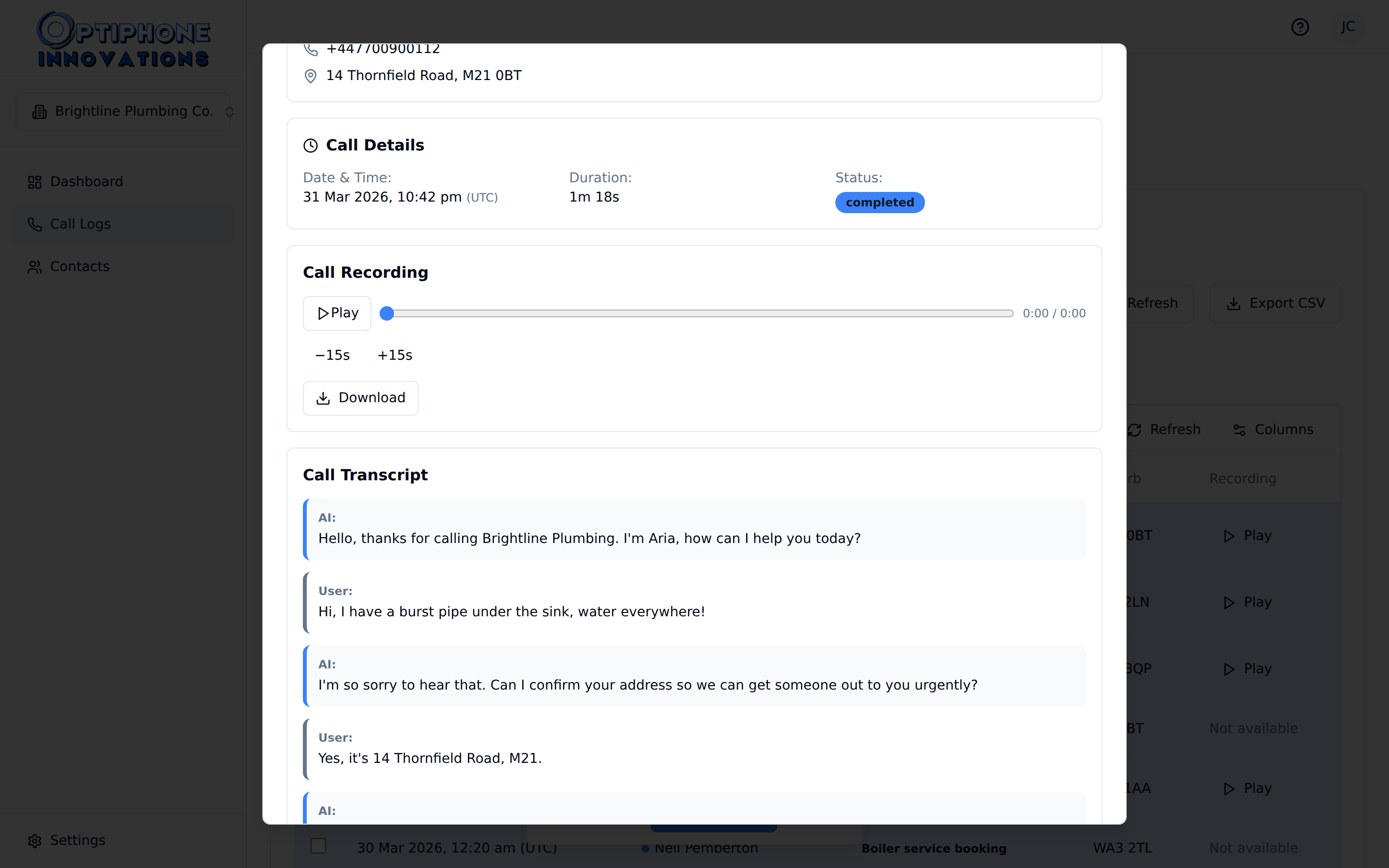
Every Call, Fully Captured
Full recordings are delivered after every call, so the script can be reviewed and fine-tuned as your services and pricing change.
Before Speed to Lead
- × A form lands and sits in an inbox until someone opens it
- × The lead has already called two competitors by the time you reply
- × Basic details missing, so the first callback becomes two
- × No record of what was asked, only what got typed up afterwards
After Speed to Lead
- ✓ Called back within seconds of the form landing
- ✓ The agent opens with the enquiry, not a cold-call script
- ✓ Details captured on the first call, ready for your team
- ✓ Every conversation recorded, transcribed and logged
Works with your stack
The Enquiry Lands Where You Already Work
Optiphone connects straight to the systems you run your business from: syncing contacts with ServiceM8 and Xero, and booking around your real availability in ServiceM8, Google Calendar and Outlook when you choose to switch it on.
Why Seconds Matter
The Lead Response Management study (Dr James Oldroyd, MIT Sloan with InsideSales.com, 2007) analysed more than 15,000 leads and 100,000 call attempts. Calling a web lead within five minutes rather than thirty made contact roughly 100 times more likely, and qualifying that lead 21 times more likely.
How it works
How We Get You Up and Running
No developer jargon, no complicated deployments. Setup is scoped around your form and your existing tools, not a generic template.
We work out what your form actually captures today, what your team needs before a callback, and how fast the enquiry needs to move.
- Review current form fields and what's missing from a good callback
- Define the opening line, qualifying questions and escalation rules
- Document integrations (ServiceM8, Xero, Google Calendar, Outlook)
We connect your form to the agent, train it on your services and pricing, and test the callback before a real lead ever hears it.
- Agent trained on your enquiry types and qualifying questions
- Captured leads land in ServiceM8 or your CRM automatically
- Callback timing and escalation rules tested before go-live
Call transcripts show exactly what leads are asking, so the script gets tuned over time. You sign off on every change.
- Change requests handled same day via our team
- Iterative training on new objections, pricing and promotions
- Scripts updated as your services and offers change
Ready?
Stop Losing Leads to the Business That Called Back First.
No lock-in contracts. Cancel any time from the billing portal.